Working Template
Prompt Log
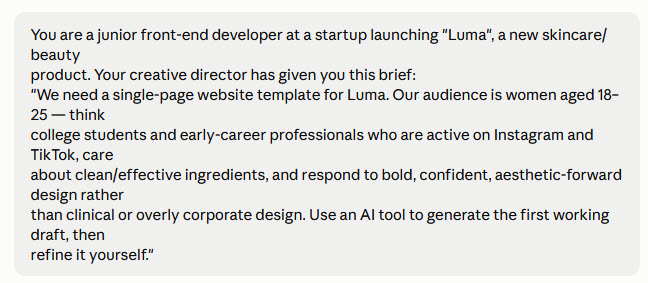
I started with the direction given to us in the scenario. I refined with additional prompts ensure the design was closer to what I wanted and met accessibility and responsive design standards. I also asked for several palette options and to add a mobile menu. Based on the result from Site Improve Accessibility Checker - I then prompted Claude to ensure all buttons were a minimum of 44 by 44 pixels to meet the standard.






Change Log
##[Changelog] - UI/UX & Content Polish
### Visual & UI Updates
Typography: Updated title and button copy to proper Title Case.
Color Audit: Experimented with Hot Pink and Lilac accent variations; reverted back to primary Orchid palette.
###Content & Copywriting
Disclaimer: Added explicit note stating this is a fictional product for a college course assignment.
Copy Refinement: Rephrased awkward wording in the "Ingredients, explained." section for better readability.
###Navigation
Footer: Integrated missing links for Documentation and Resources pages.
My notes:
- Capitalization - Title and button words were not capitalized as I would have liked.
- Changed sentence wording in "Ingredients, explained." section, the original sentence was a bit awkward.
- Added a line stating this was a fictional product created for a college course.
- I played with changing the accent color from orchid to other colors like hot pink and lilac , but ultimately went back to the original orchid.
- Added links in the footer for the documentation and resources pages.
Reflection
Overall, I thought this was an interesting project and a good way to see how AI can help with web development. I started by exploring five different design options for Luma, ranging from bold color blocks to soft pastels. I ended up choosing the “after dark” theme because I liked the darker background and brighter accents. It felt more unique and confident for the 18–25 audience without looking too clinical.
The first draft was a good starting point, but parts of it still felt generic and needed some work. I refined the layout for phone, tablet, and desktop, added a mobile menu, and reviewed accessibility features like keyboard navigation, a skip link, clearer button labels, and larger tap targets. I also moved the CSS into a separate file and played the changing the accent color. I liked seeing how a simple change in a CSS variable could affect the overall look of the website and be done so quickly.
The biggest thing I learned is that AI can save a lot of time, but it doesn't always get everything right the first time. I found that smaller, more specific prompts worked better than asking for major changes all at once. Next time, I would spend more time planning my initial prompts, giving more detail and specifics like a color palette. I would also spend more time planning before entering the prompt stage. I think planning and great prompts will make AI and awesome timesaver!